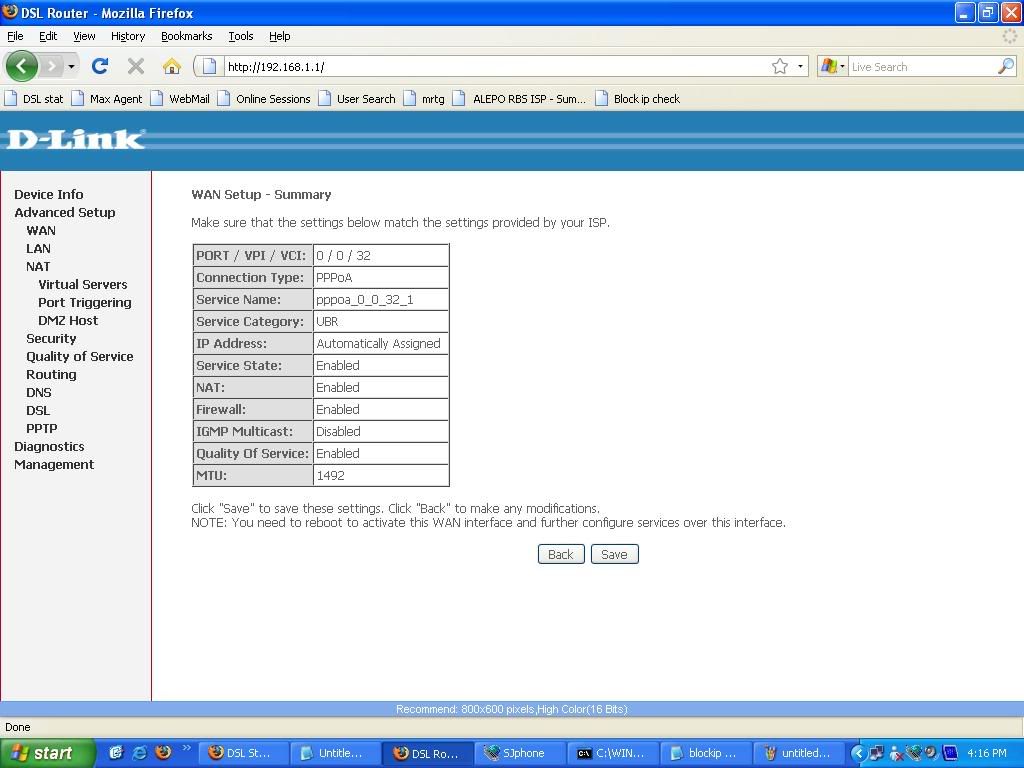
step 2:insert Atm values VPI/VCI (like maxcom have VPI = 0 and VCI = 32) which ISP provide you.
step 3:select type of connection whether you want PPoE/PPoA then Next
step 4:Insert username and password then Next
step 5:Already select NAT/Firewall then Next
step 6:after step 5 you get summary of whole configuration if you want to revert this configuartion you can do that if not then next and save configuration
step 7:show you WAN status then click on save/reboot option.
step 8:after save/reboot option goto Advance setup>DNS ........insert dns values
If you have any query plz post your message or you can email me voas_a1@hotmail.com
or you can chat live on your left chatroll box or leave yur message with you email id thank you